At some point, every AI project reaches the same moment.
You’ve mapped the conversation.
You understand the intentions.
You know the possible paths.
And then comes the real question:
“What does this look like… when it’s done?”
Not in theory.
Not in flows.
But in a final wireframe that someone can actually use.
This is where many AI products fail.
Because translating intelligence into interface is harder than it looks.
Before we go further
This article doesn’t live on its own.
If you’re new to AI Product Design, or if this way of thinking feels unfamiliar,
these previous articles will give you the right mental model before we dive into the wireframes.
A Final AI Wireframe Is Not a Screen
Let’s be clear about something first.
A final AI wireframe is not:
- a chat bubble
- a text input
- a fancy assistant UI
Those are surfaces.
A final AI wireframe is the visible form of understanding.
When someone looks at it, they should immediately feel:
- “The system understands me”
- “I can correct it”
- “I know what will happen next”
If the wireframe doesn’t communicate that, it’s not finished — no matter how clean it looks.
How a Designer Thinks While Drawing the Final Wireframe
When I design a final AI wireframe, I’m not thinking in components.
I’m asking myself questions like:
- Where does the user pause?
- Where might they hesitate?
- Where does the AI need to slow down?
- Where does it need to step forward confidently?
These questions shape the wireframe more than grids or spacing ever will.
The Final Structure of a Good AI Wireframe
Most solid AI wireframes end up having three clearly readable zones.
Not always separated visually —
but separated mentally.
1. The Expression Zone
This is where the user speaks.
Not “fills a field”.
Not “starts a flow”.
They express.
The wireframe must feel open:
- generous spacing
- no visual pressure
- no sense of “wrong input”
This zone says:
“Say it the way you think it.”
If the input feels tense, the entire experience breaks.
2. The Understanding Zone
This is the heart of the wireframe.
Here, the system shows what it understood.
Not in a technical way.
Not in logs.
But in a structured, calm summary.
For example:
- What was extracted
- What was inferred
- What is missing
This zone answers the silent user question:
“Are we aligned?”
If alignment is missing, trust disappears.
3. The Commitment Zone
This is where the system stops thinking and asks for permission to act.
This zone must feel:
- deliberate
- respectful
- reversible
A good final wireframe never forces action.
It invites it.
Confirm.
Adjust.
Go back.
The user stays in control — always.
A Concrete Example: Purchase Request
Let’s make this tangible.
The user types:
“Order 30 packs of A4 paper for next week.”
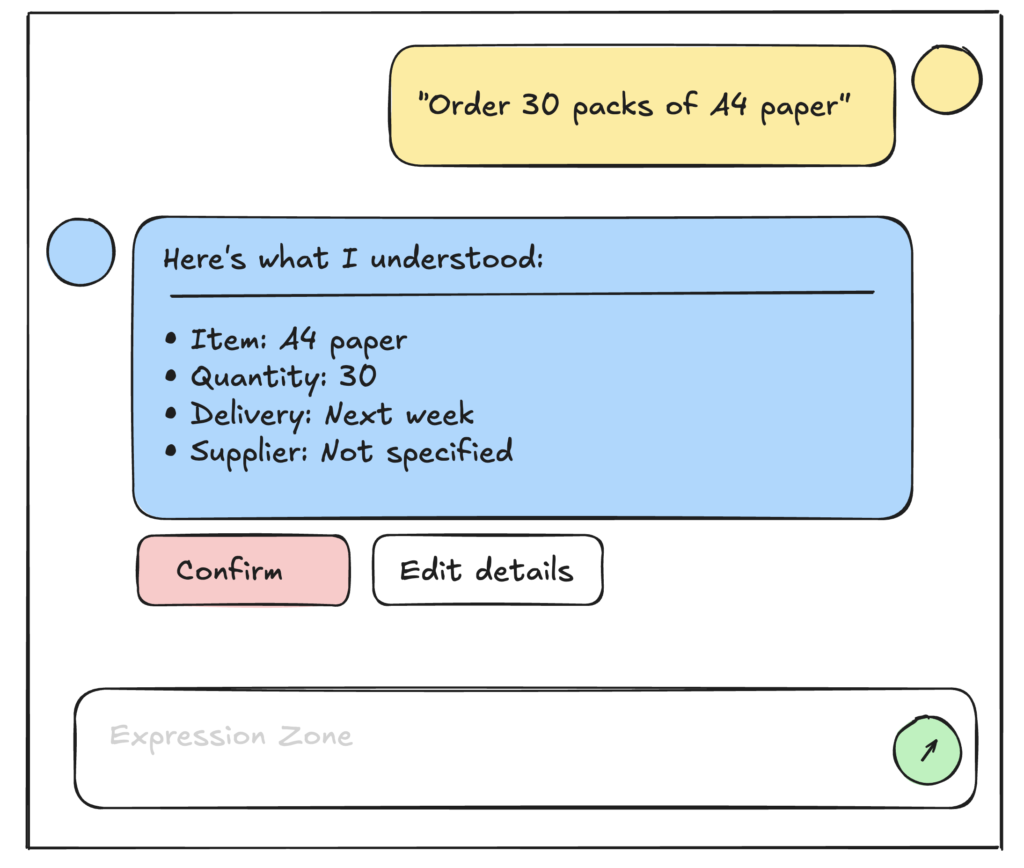
A weak AI wireframe would jump straight to execution.
A strong one pauses.
The final wireframe might show:
- Interpreted item: A4 paper
- Quantity: 30
- Delivery: next week
- Supplier: not specified
Then a simple question appears:
“Do you want Supplier A or the cheapest available option?”
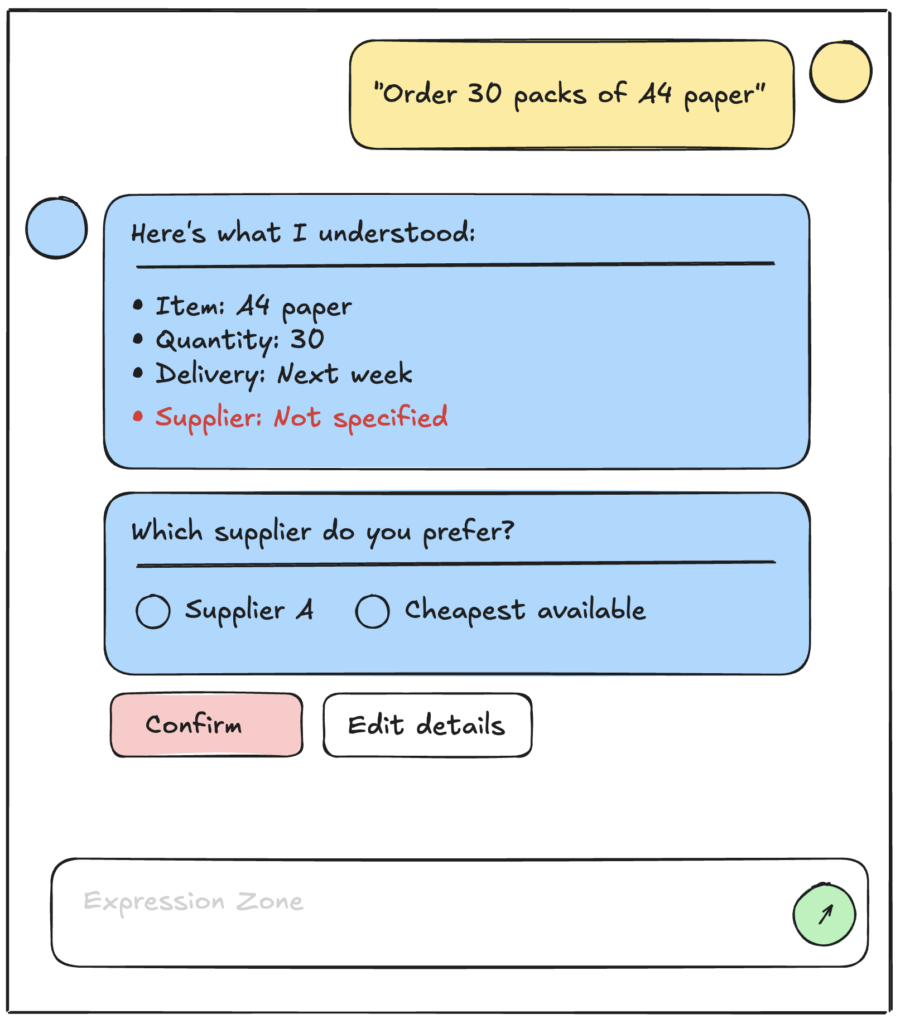
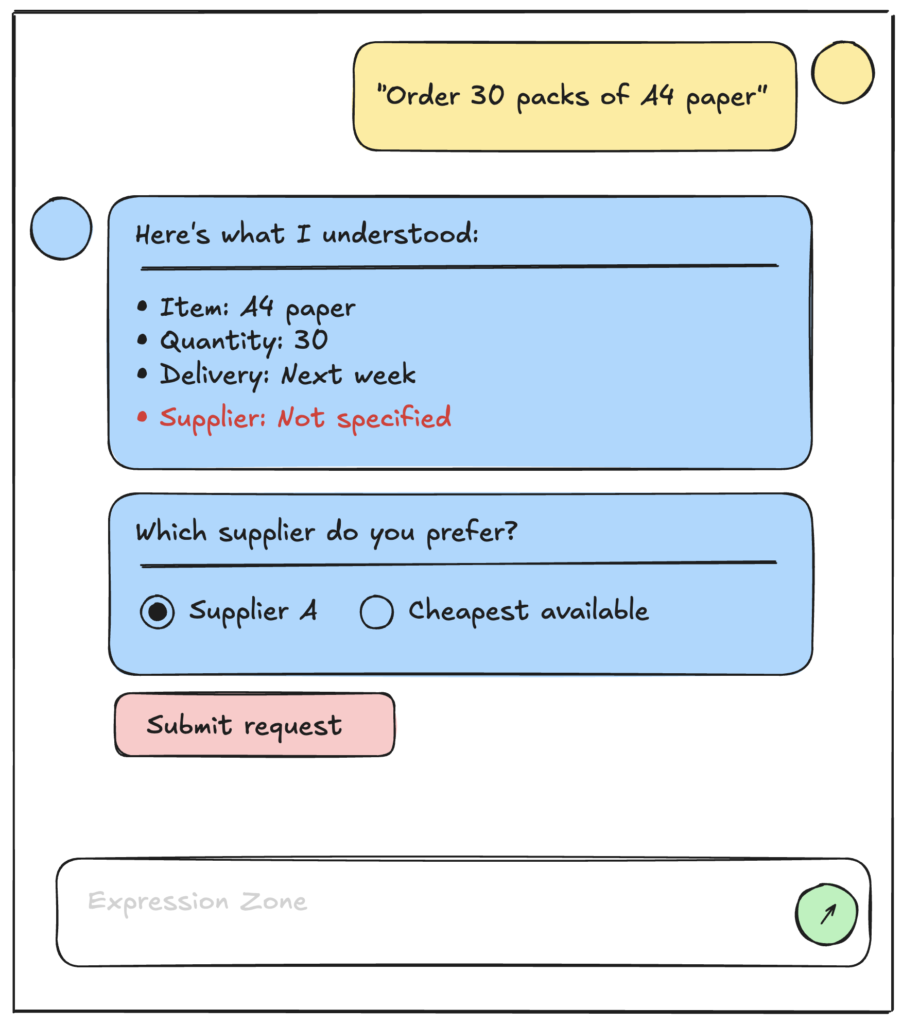
This is not friction.
This is intelligence behaving responsibly.
What Makes This a “Final” Wireframe
A final AI wireframe is finished when:
- The user understands what the system understands
- The system exposes uncertainty instead of hiding it
- The user can intervene at the right moment
- The action feels earned, not automatic
At that point, the wireframe doesn’t need explanation.
It explains itself.
Why This Matters More Than UI Polish
You can have:
- perfect spacing
- beautiful typography
- smooth animations
And still fail.
Because AI products don’t fail visually.
They fail mentally.
They fail when users feel:
- misunderstood
- rushed
- excluded from the decision
Final AI wireframes exist to prevent that.
They are not decoration.
They are ethics, trust, and clarity — drawn.
The Shift Every Designer Eventually Feels
Once you design AI wireframes seriously, something changes.
You stop designing “interfaces”.
You start designing relationships.
Between:
- intention and execution
- uncertainty and confidence
- human and system
That’s when AI Product Design becomes real work.
And meaningful work.
Leave a Reply